01
Few new reviews
Hundreds of covers a week, and only a few new reviews a month. A new guest scrolling past sees an old rating and a quiet profile.
Google reviews for restaurants, cafés, bars and bakeries
Before people choose where to eat, they open Google Maps, compare ratings and read the latest reviews. StarsFirst asks every guest for an honest review after the visit, with a short message from your restaurant, and a person on our team keeps your Google profile accurate. You run the kitchen. We take care of the asking.

Made for businesses like
The problem
Most happy guests never write a review. Not because they did not enjoy the evening, but because nobody asked them at the right moment.
Hundreds of covers a week, and only a few new reviews a month. A new guest scrolling past sees an old rating and a quiet profile.

Between the lunch rush, deliveries and the evening service, nobody has time to chase reviews. So it never happens.
Someone nearby looks for dinner on Google Maps. The places with many recent, good reviews stand out and get the booking.
The business name and the numbers on the cards are examples.
Why reviews
Ads stop working the day you stop paying for them, and delivery apps take a cut of every order. Reviews keep bringing people through your door, long after they were written.
Guests compare a few places in seconds. A high rating backed by many recent reviews makes yours the obvious choice.
Google says it plainly: more reviews and positive ratings can help your local ranking. Source: Google Business Profile Help
New guests want to know what to order, how the service is and whether it is worth the trip. Recent reviews from real guests answer all three.
Every guest who finds you on Google is a guest you paid no ad and no commission for. See what a few extra tables a week are worth with the calculator below.

Enter your own numbers. The two values are only an example.
Additional revenue per year
$16,800
The plan costs $1,188 per year. That is 14.1 times what you pay.
This is your own estimate, not a promise. How many new guests find you through Google depends on your location, your cuisine and the places around you.
After every visit
Guests hear from you while the meal is still fresh in their mind, and never more often than they would like.
About an hour after you add a guest, they receive a short message from your restaurant with a link to leave a review: by e-mail, or by text message in the United States.
Only guests who have not opened the link get one reminder. Everyone else is left alone.
After the second reminder the guest hears nothing more about it, and is not asked again for six months.
Hi Julia, thank you for choosing Olive Street Café. If you have a minute, we would appreciate your honest feedback on Google: starsfirst.com/r/k3Tz9Qa Reply STOP to opt out. Sent via StarsFirst.
Hi Julia, a quick reminder from Olive Street Café: your feedback helps other customers find us. You can leave it here: starsfirst.com/r/k3Tz9Qa Reply STOP to opt out. Sent via StarsFirst.
Hi Julia, last reminder from Olive Street Café. If you would like to share how the job went, here is the link: starsfirst.com/r/k3Tz9Qa Thank you either way. Reply STOP to opt out. Sent via StarsFirst.
Example with a made-up café and guest, as text messages in the United States. The e-mails say the same, with an unsubscribe link in place of STOP.

How it works
Paste the review link from your Google Business Profile into your settings and add us as a manager of the profile. It takes a few minutes.
Whoever takes the booking or the payment enters the guest’s first name and e-mail address, or a mobile number in the United States, and ticks that the guest agreed. You can also upload a list of guests who agreed, for example from your booking system.
Messages go out only in the hours you choose, never late at night. Reminders stop as soon as a guest opens the link.
Requests, last 30 days
128
Guests who opened the link
57
Open rate
45%
| Guest | Mobile or e-mail | Status | Messages | Next message |
|---|---|---|---|---|
| Sara | s•••@gmail.com | Clicked | 1 of 3 | None |
| Miguel | +1 ••• ••• 4410 | Active | 1 of 3 | Oct 9, 10:30 AM |
| Dana | d•••@outlook.com | Scheduled | 0 of 3 | Today, 3:15 PM |
| Priya | p•••@yahoo.com | Completed | 3 of 3 | None |
Your overview in the app, shown here with sample data.
Features
No new routine for your team. You keep cooking and serving.
Up to two reminders, on the days you choose. They stop the moment a guest opens the link.
Choose the language for each guest. Both versions are short, warm and say exactly the same.
Hola Miguel, gracias por elegir Olive Street Café. Si tiene un minuto, le agradeceríamos su opinión sincera en Google: starsfirst.com/r/Qm7xL2e Responda STOP para no recibir más mensajes. Enviado por StarsFirst.
Messages go out only in the hours you set, in your time zone. Nothing arrives late at night.
A guest who was asked is not asked again for six months, however often they come in.
A guest who unsubscribes, or replies STOP to a text, is taken off your list for good.
Hosts, servers and managers add guests from their own phones. Only you change settings and billing.
Included in the $99
Guests check your hours, menu and photos before they decide where to eat. A person on our team keeps all of it accurate, at no extra cost.
We go through your categories, opening hours, menu and booking links, description and contact details, and fix what is missing or wrong.
Send us photos of dishes, drinks, the dining room and your team. We add them and replace the ones that look dated.
Holiday hours, a new menu, a new booking link. Send us an e-mail and we update your profile.
We write a reply to every new Google review in your restaurant’s name. Until Google lets us post for you, it comes ready to paste.
Once a month we check that everything is still correct, and tell you if something needs your attention.
You add us as a manager of your profile. You stay the owner and can remove us at any time.
Included in the $99
The e-mail reaches your guests later. A card on the table reaches them while they are still enjoying the meal.
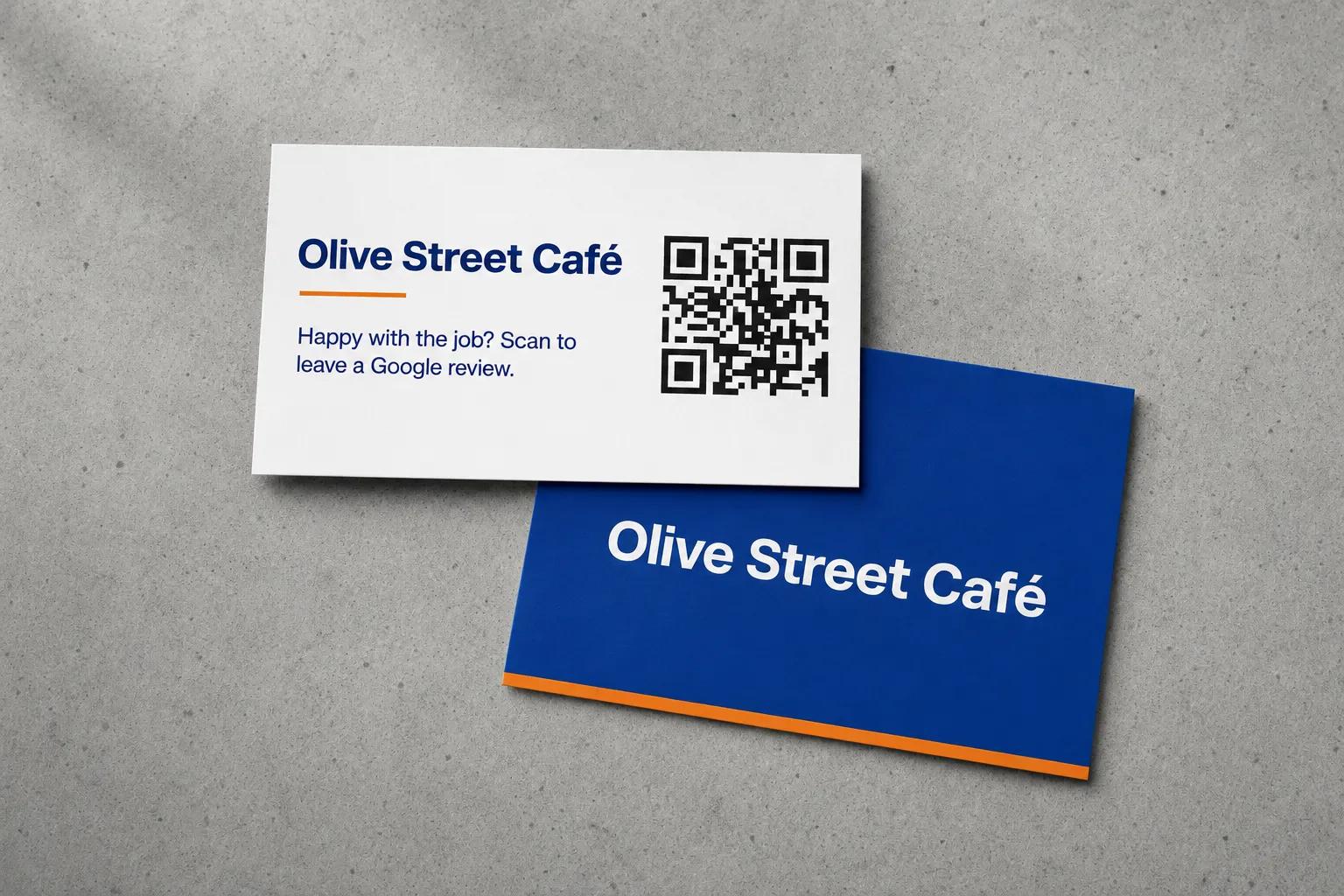

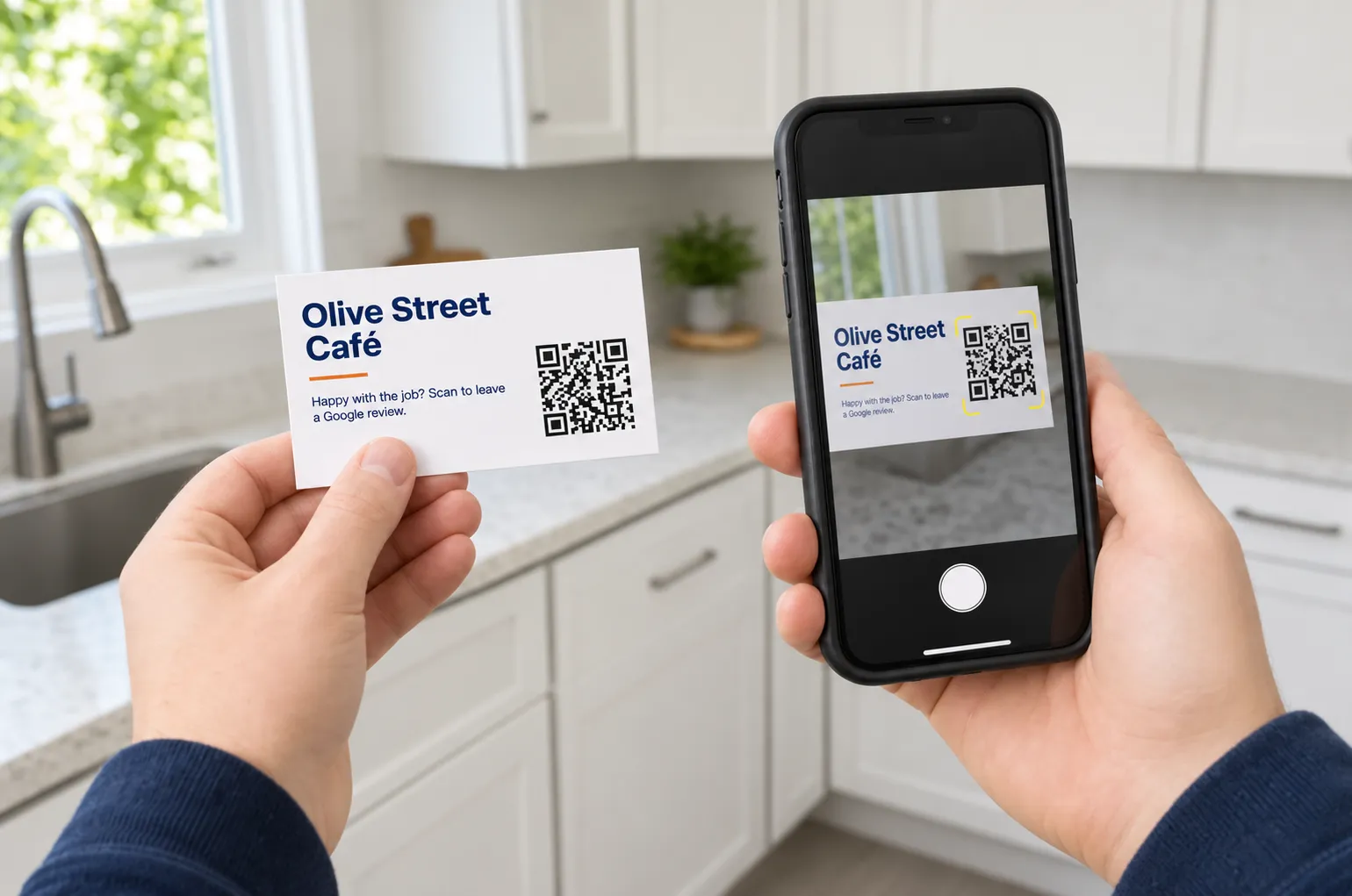
Example photos with a made-up business. Your cards carry your own name and your own QR code.
Fair play
Reviews only help if they are genuine and stay online. That is why we follow Google’s rules to the letter.
Every guest gets the same link to your public Google review form, whether they loved the evening or not. That is what Google requires.
Our messages never offer anything in exchange for a review. Google does not allow it, and reviews collected that way can be removed.
We store the guest’s first name, e-mail address or mobile number, language, the time they agreed, and what they choose to tell you on the feedback page. Nothing about the order or the bill.
Pricing
Review requests, QR cards and the care of your Google profile, for one monthly price. No setup fee, no contract, and your money back within 14 days if it is not for you.
StarsFirst
$99per month
For one business, in US dollars. Billed monthly through Stripe.
No contract. Cancel any time.
FAQ
Something missing? Write to support@starsfirst.com.
No. We do not run ads, social media or food photography. We take care of one thing that matters to every restaurant: a steady flow of honest Google reviews, replies to them, an accurate Google profile and offers that bring guests back, for one fixed monthly price instead of an agency retainer.
By e-mail to the address you enter. In the United States you can also send it by text message to a mobile number. The message comes from your restaurant’s name and links to a short page: one tap for the stars, and right under them the button to your Google review form, the same for every guest.
No. There is nothing to install. Your team enters guests on a phone or the computer at the desk, or you upload a list of guests who agreed, for example from your booking system. A list goes out over several days, so the reviews come in steadily.
Put the QR cards on the tables or in the bill folders. Guests scan the code and land on the same feedback page. They do not have to give you any details, unless they want the thank-you voucher.
Yes. Guests who take the thank-you voucher on your feedback page agree to hear from your restaurant. You write an offer, such as a new menu or a set lunch, or switch on the automatic win-back for guests who have not been in for a while. Every offer carries a personal code, so you see who came back, and nobody gets more than two offers in 30 days.
No. Google does not allow reviews in exchange for anything, and the message texts are fixed so it cannot happen by accident. The thank-you voucher on the feedback page is offered to every guest, whatever the stars, and never depends on a Google review.
No. Every guest gets the same link to your public Google review form. A guest who had a bad evening can also write to you privately on the feedback page, so you hear about it and can respond, but the Google button is the same for everyone.
No. A guest gets at most three messages per request: the first one and up to two reminders, which stop when the link is opened. After that the same guest is not asked again for six months, unless you shorten that period.
A full check when you start, adding and replacing the photos you send us, changes on request such as holiday hours or a new menu, a reply written for every new review, and a look once a month to see that everything is still correct. It is part of the monthly price.
No. You add us as a manager of your Google Business Profile. You stay the owner and can remove us at any time.
Yes. For every guest you add, you confirm that they agreed to be contacted about a review. Without that confirmation the request cannot be saved.
Every message says how to opt out: each e-mail has an unsubscribe link, and a guest can reply STOP to a text message. Either way the guest is taken off your list and is not contacted again.
Yes. Everyone on your team can have their own login at no extra cost. They can add guests; only you can change the settings and the billing.
Only inside the hours you set, in your time zone. The default is 9 AM to 8 PM, so a guest added after a late dinner hears from you the next morning.
We cannot promise a number. What Google itself says is that more reviews and positive ratings can help your local ranking, and guests choosing a place to eat look at reviews first. You can estimate what extra guests are worth to you with the calculator on this page.
US dollars, wherever your restaurant is. You pay one monthly price per location, charged through Stripe, with no setup fee and no contract. Within 14 days of your first payment you can get it back in full, no questions asked.
Each location with its own Google Business Profile needs its own account, because reviews belong to one profile.
In your account under Settings, Billing. The subscription ends at the close of the paid month and no further messages are sent after that.
Create your account, paste your Google review link and add the guests from your next service. We take care of your Google profile from there.